No MOQ · 1-20 pcs printed in 3-5 working days · Self-collect in Denai Alam
Skip to content

Halftone T-Shirt Printing: Turn a Photo into Dots for Free

Halftone turns the soft parts of a picture, such as glows, shadows and fades, into solid dots of different sizes. From a normal distance the dots blend back into the picture, and on a heat press print they come out clean where soft edges would print patchy. In the print trade this is often called halftone DTF. BISHH's Dots tool does it for free in Custom Lab and the product designer, and you see the result on the garment before you order.

5 min read · Updated 2 November 2026

What is halftone printing?

A halftone draws a picture with dots. Dark areas get big dots, light areas get small ones, and the shirt colour shows in between. Newspapers and comics have used the same trick for well over a hundred years, which is why a halftone print also has a retro, poster-like look.
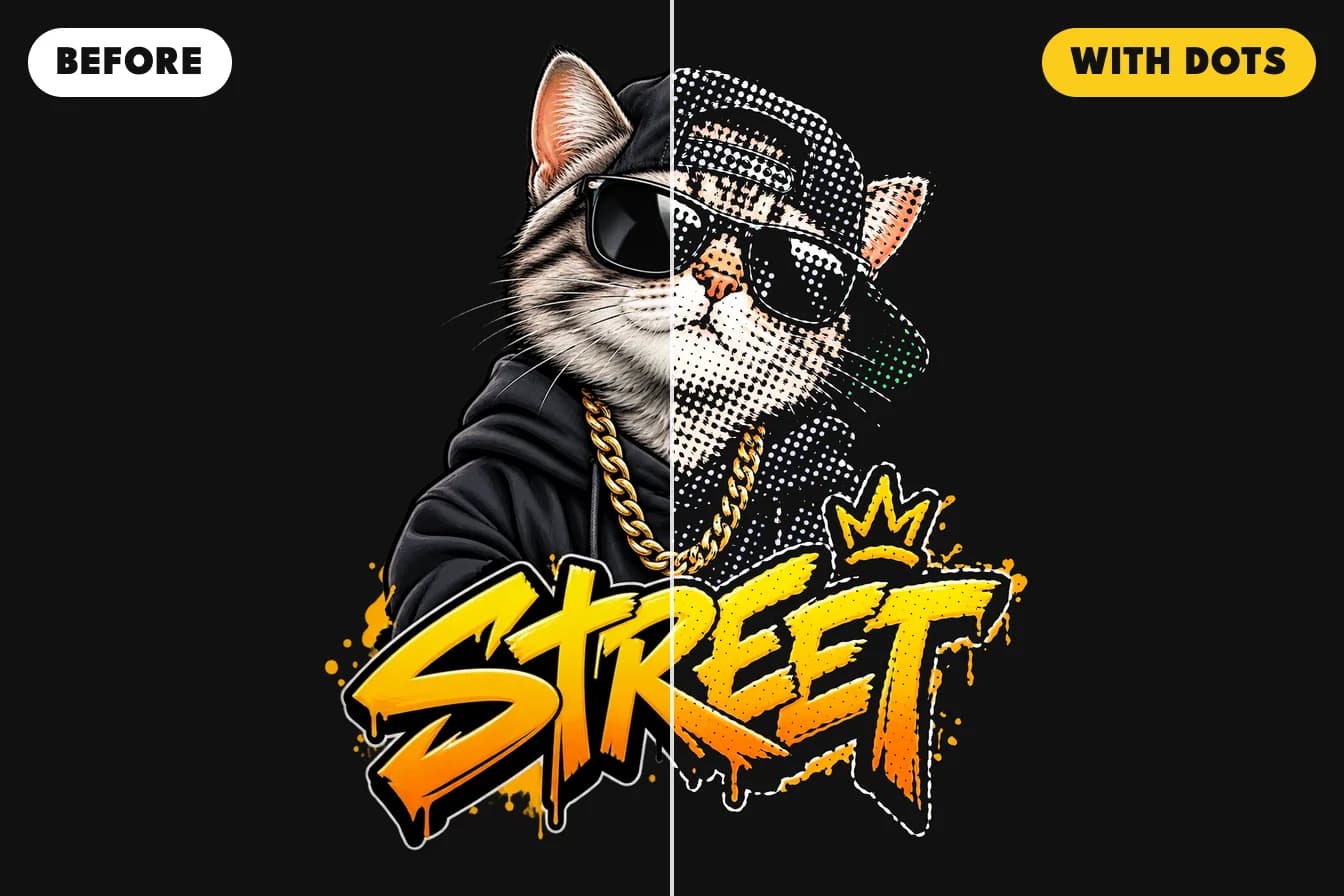
A street cat design on a black t-shirt, split down the middle: the left half is the original picture, the right half is the same picture as halftone dots
The same picture before and after the Dots tool: the Whole picture look with Big dots, on a black tee.

Why use halftone dots on a t-shirt?

Our prints use solid ink: each spot is either printed in full or left clear. A glow, a drop shadow or a faded edge is partly see-through in your file, so printed as it is, it comes out paler or patchy, and a dark background prints as a box. Turned into dots, the soft look stays while every printed dot is solid, so it presses and washes cleanly. A dotted print also uses less ink, so a large design feels lighter on the shirt.
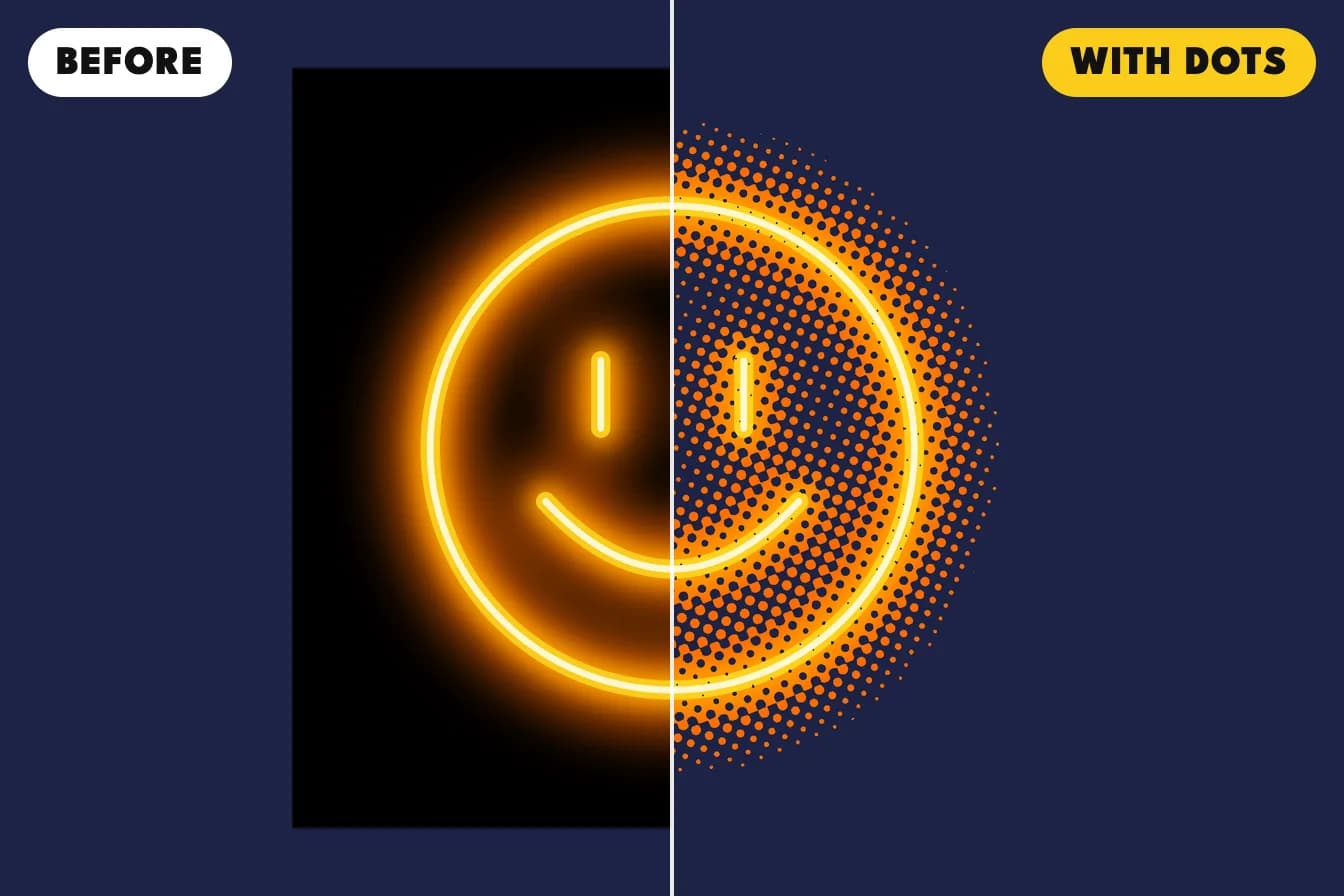
A glowing smiley on a navy t-shirt, split down the middle: on the left its black background prints as a box, on the right the box is gone and the glow is made of dots
Before, the black background prints as a box. With the Black background look, the box is gone and the glow turns into dots.

The four looks in the Dots tool

Black backgroundRemoves a black background and keeps its glow as dotsNeon, fire and glow designs on a black tee
Soft edgesTurns glows, shadows and fades into dotsPictures with a soft drop shadow or a faded edge
White backgroundRemoves a white background the same wayDesigns for a white tee
Whole pictureTurns every tone into dotsThe dotted poster or comic look

Big, Medium or Fine dots?

Pick the dot size by how far away the shirt will be seen. Big dots are 12 lines per inch and show clearly as part of the design. Medium is 20 and Fine is 30, and both blend into the picture from a step away. Whatever you pick, dots smaller than 0.45 mm are left out, because dots that small can come off in the wash.

How to make halftone dots in Custom Lab

  1. Open Custom Lab and upload your picture, or open your design in the product designer.
  2. Select the picture and open the Dots tab.
  3. Choose a look and a dot size. The tool starts on Black background.
  4. Check the dots in the close-up and the before and after view, then choose your garment and order.
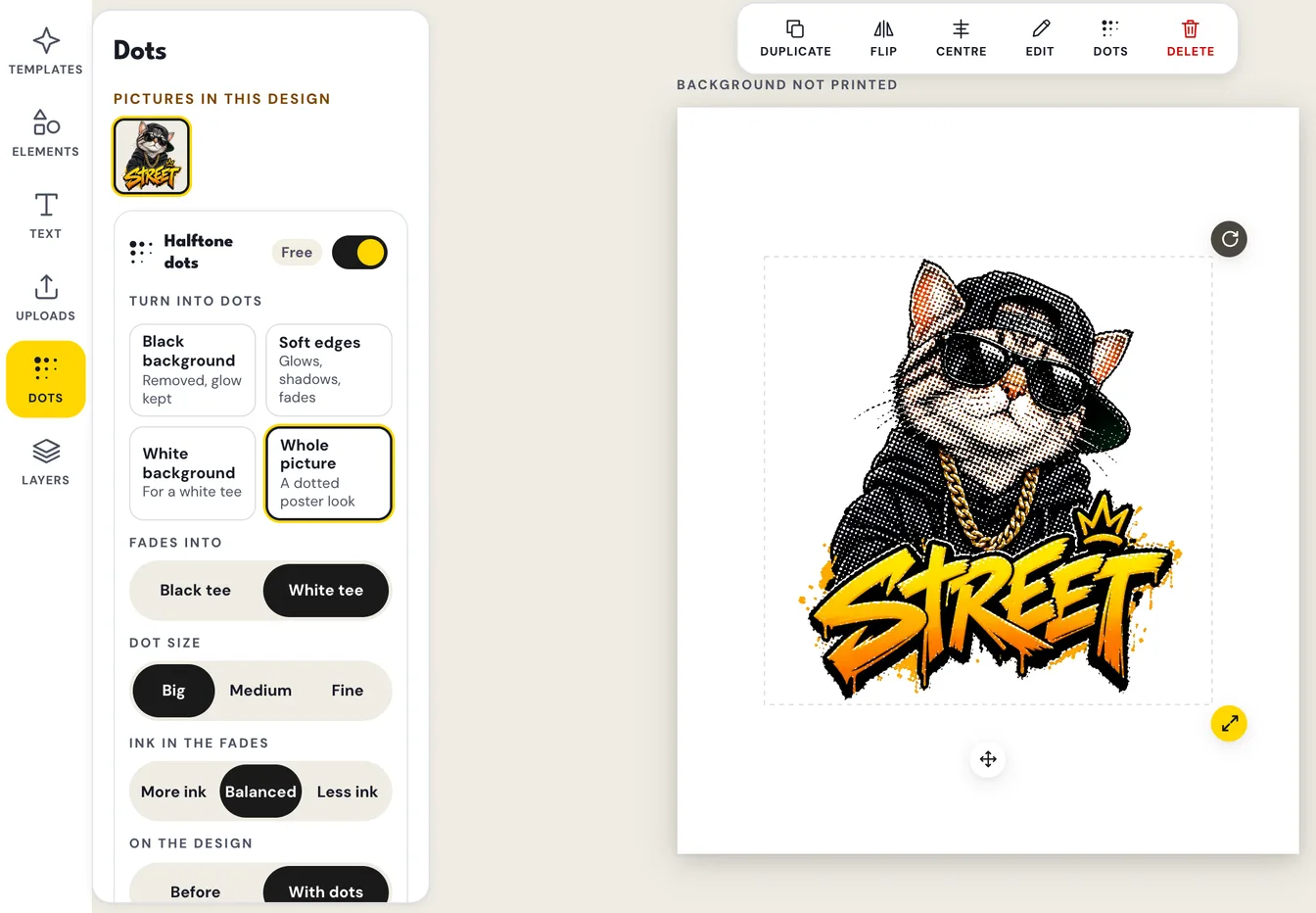
The Custom Lab Dots panel with halftone dots switched on, the Whole picture look, White tee and Big dots chosen, and the street cat on the canvas drawn in dots
The free Dots tool. Here the Whole picture look turns the cat into Big dots for a white tee.

Does halftone cost extra?

No. The Dots tool is free, and a dotted design costs the same to print as any other design in the same print position on the same product. Full colour costs the same as one colour.

When to skip halftone

Leave crisp logos and solid colour text as they are. They already print cleanly, and dots would only soften them. Halftone is for the soft parts of a picture.

Common questions

What is halftone DTF?
It is a heat press transfer where the soft parts of a design print as small solid dots instead of see-through ink. Glows and shadows still look soft, but every printed spot is solid, so it presses and washes cleanly.
Can I make halftone dots for free?
Yes. The Dots tool in BISHH's Custom Lab and product designer is free, and you see the dots on the garment before you order.
Will the small dots peel off?
Dots smaller than 0.45 mm are left out on purpose, because dots that small can come off in the wash. Wash the shirt inside out in cool water, as with any print.
Which dot size should I choose?
Big (12 lines per inch) for a bold dotted look, Medium (20) for most designs, and Fine (30) when you want the dots to blend in.
Does halftone change my original file?
No. Your upload stays as it is. The dots are only drawn when we make the file for printing.

Ready to print your story?

Design it in Custom Lab, or pick a product, add your design and preview it before you pay. No minimum order.

Keep reading